The Ultimate Cheat Sheet on Acer Gaming Monitor. Ever wondered why your new display doesn’t look great right away? Many think factory settings are the best, but they’re not. An Acer gaming monitor needs fine-tuning to shine in your space.
The Ultimate Cheat Sheet on Acer Gaming Monitor
First, learn the tech terms to set up your monitor right. You’ll learn to fight ghosting and screen tearing with Overdrive and Adaptive-Sync. Once you get these, using your monitor’s menu is easy.
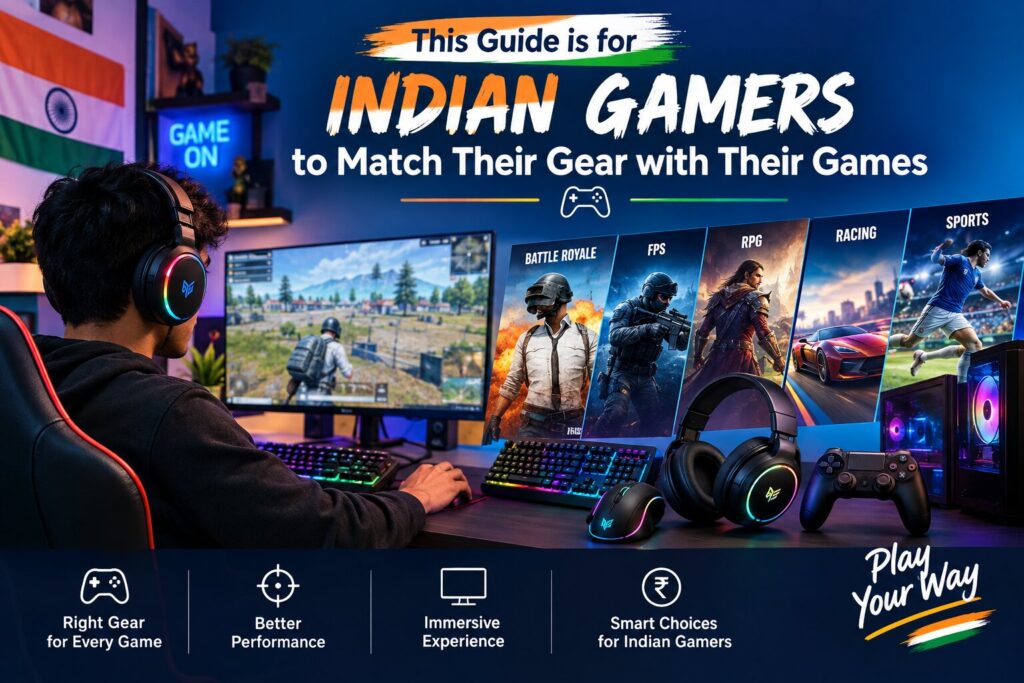
This guide is for Indian gamers to match their gear with their games. Whether buying new or tweaking your Acer gaming monitor, we’ve got you covered. Get ready to boost your gaming setup.
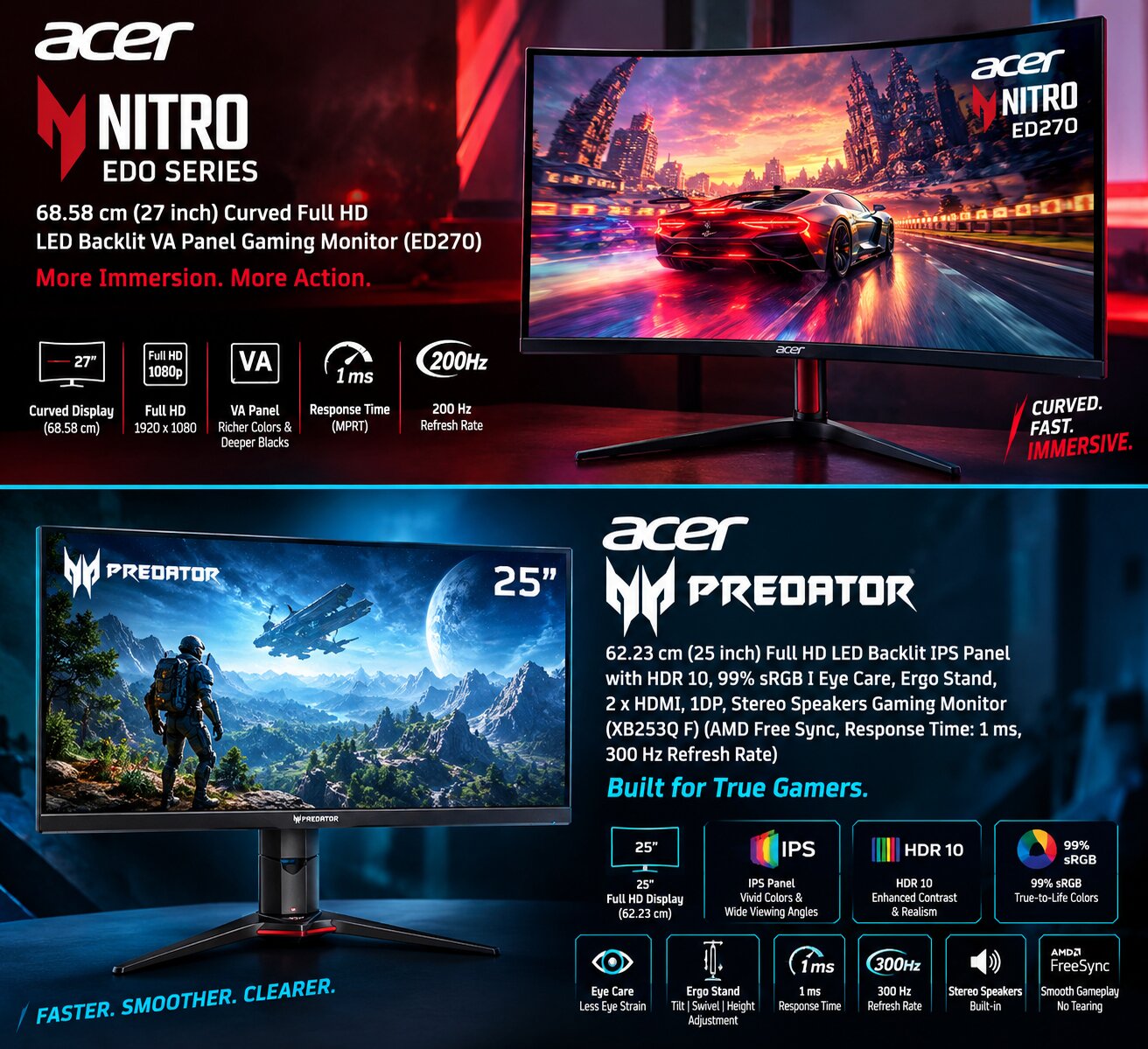
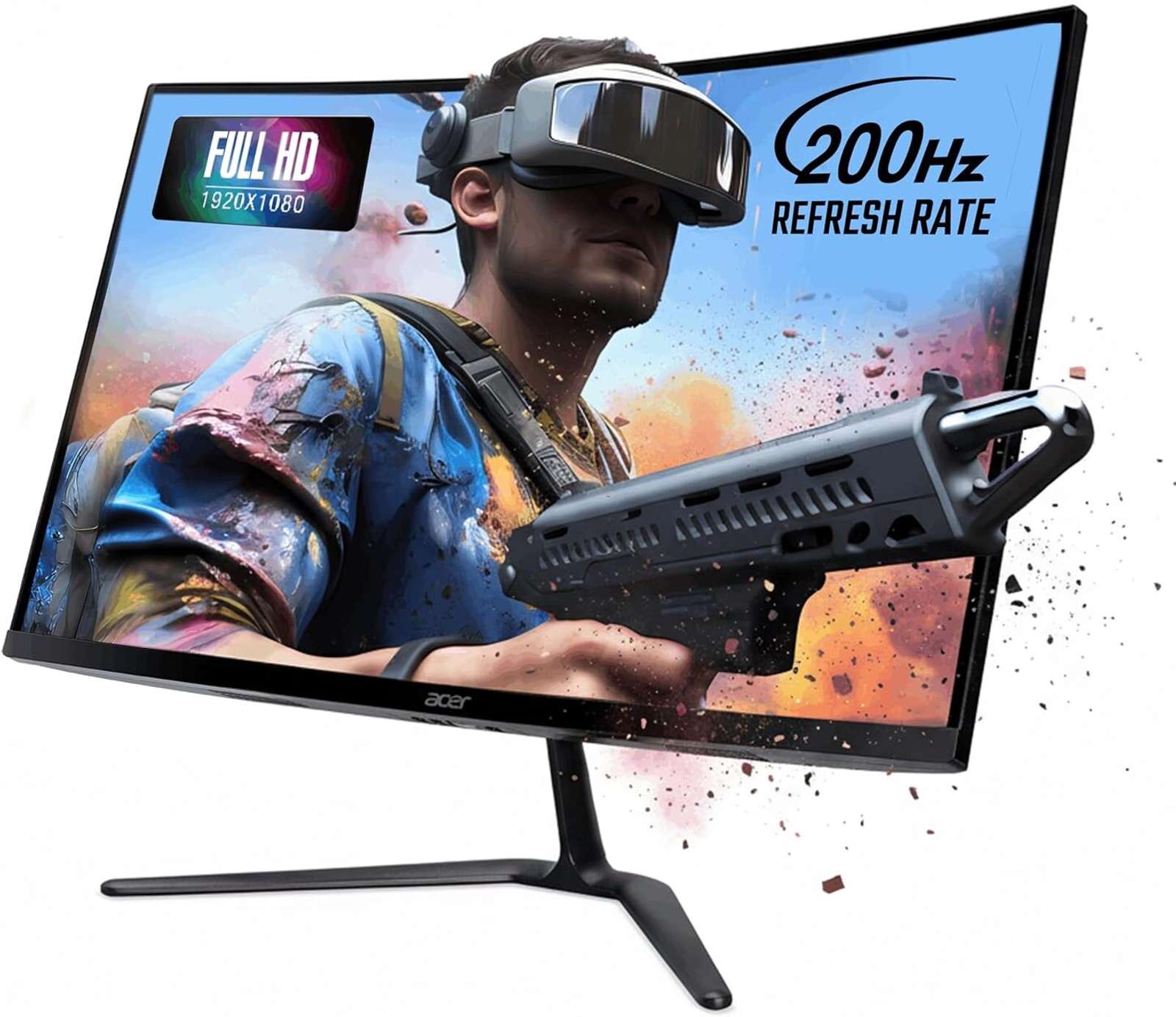
Acer Nitro ED0 series 68.58 cm (27 inch) Curved Full HD LED Backlit VA Panel Gaming Monitor (ED270) (Response Time: 1 ms, 200 Hz Refresh Rate)
Acer Gaming Monitor
- Cash on Delivery
3 Years Warranty - 27 inch
- VA Panel
- Full HD
- 200 Hz
- 1 ms
- Speakers No, 0 Speaker
Inbuilt Speaker No
Number of Speakers 0
General
Brand Acer
Model Name ED270
Series Nitro ED0 series
Color Black
Display 68.58 cm (27 inch) LCD Display
Backlight LED Backlit Backlight
Panel Type VA Panel
Resolution 1920 x 1080 pixels
Screen Resolution Type Full HD
Sales Package 1N Monitor, 1N User manual
Screen Form Factor Curved
Model Year 2025
HD / Full HD Full HD
Suitable For Gaming
Connectivity
HDMI 2
Display Port Yes
Dimensions
Adjustable Height No
Display Features
Maximum Refresh Rate 200 Hz (Analog), 200 Hz (Digital)
Aspect Ratio 16:9
Horizontal Viewing Angle 178° (2D)
Vertical Viewing Angle 178° (2D)
Response Time 1 ms
Brightness 250 nits (2D)
Pixel Pitch 0.311 mm
Color Gamut sRGB - Stay flexible with 2 × HDMI 2.0 ports and 1 × DisplayPort 1.4, allowing easy connection to gaming consoles, PCs, and media players. Switch seamlessly between sources and enjoy high-bandwidth data transfer for lag-free performance across devices, Crafted for long hours of use, Acer VisionCare reduces flicker and blue-light fatigue, while the ZeroFrame design offers a sleek, edge-to-edge look. A tilt-adjustable stand (-5° to 20°) adds ergonomic comfort to your gaming or work setup, xperience an expansive field of view with the 27-inch VA panel featuring a 1500R curvature, designed to wrap your vision and enhance depth perception during intense gameplay. The Full HD (1920 × 1080) resolution ensures razor-sharp clarity, while the 178° wide viewing angles maintain color consistency from every seat — perfect for both gaming marathons and cinematic entertainment, Stay ahead of every frame with a blistering 200 Hz refresh rate and 1 ms (VRB) response time that virtually eliminates motion blur and ghosting. Combined with AMD FreeSync Premium, the ED270 X0 synchronizes the monitor’s refresh rate with your GPU’s output, ensuring seamless gameplay free from screen tearing, ideal for competitive FPS, racing, and action titles that demand fluid, lag-free precision.
- The Acer Nitro ED270 X0 is engineered for gamers who demand speed, precision, and immersive visuals. Its 27-inch Full HD VA curved panel (1500R) wraps your vision for deep engagement in every scene. With a 200 Hz refresh rate and 1 ms VRB response, motion remains smooth and fluid, even during fast-paced action games. The AMD FreeSync Premium technology synchronizes display frames with GPU output to eliminate tearing and stutter. Enjoy vibrant colors with HDR10 and sRGB 99% accuracy, while Acer VisionCare reduces eye fatigue for extended sessions. Its sleek ZeroFrame design with -5° to 20° tilt and dual HDMI + DisplayPort connectivity makes it a perfect blend of style, performance, and comfort for your gaming setup
Key Takeaways
- Factory settings are rarely optimized for individual room lighting or specific game genres.
- Calibration is essential to eliminate visual artifacts like ghosting and screen tearing.
- Features such as Overdrive and Adaptive-Sync significantly improve motion clarity during fast-paced action.
- Mastering the on-screen display menu allows for better control over color accuracy and response times.
- Matching your hardware capabilities to your display settings ensures a smoother experience for Indian players. The Ultimate Cheat Sheet on Acer Gaming Monitor.
Acer Gaming Monitor Essentials for Indian Gamers
Finding the right gaming monitor can be tough, but Acer makes it easier for Indian gamers. They focus on what each gamer needs, making sure everyone finds a monitor that fits their desk and budget. Reading acer gaming monitor reviews helps figure out which features are most important for your setup.
How Acer Nitro and Predator Series Monitors Differ
The Acer Nitro series is great for those who want excellent value. These monitors are perfect for students and casual gamers. They offer good speed and color accuracy at a price that’s easy on the wallet.
The Predator series, on the other hand, is for the pinnacle of gaming technology. It’s for serious gamers and esports players who need the best performance. If you’re looking for top-notch quality and features, the Predator series is the way to go. The Ultimate Cheat Sheet on Acer Gaming Monitor.
Choosing Between 24-Inch, 27-Inch, and Ultrawide Screens
Screen size is key for both immersion and desk space. A 24-inch monitor is often the ideal choice for competitive gaming. It’s great for small desks found in many Indian apartments.
A 27-inch display offers a more cinematic feel for story-driven games. It’s perfect for those with a bit more desk space. Ultrawide monitors, on the other hand, provide a panoramic view for total immersion.
Matching Monitor Features to PC, Console, and Competitive Gaming
Choose hardware that matches your gaming platform. PC gamers need high refresh rates and G-Sync for smooth motion. Acer gaming monitor reviews can help find the right model for your graphics card.
Console gamers should look for HDMI 2.1 support for the best 4K and high frame rates. Competitive players should focus on low response times for an edge in fast-paced games. The Ultimate Cheat Sheet on Acer Gaming Monitor.
Understanding Acer Gaming Monitor Specs
Choosing the right hardware means knowing how display metrics affect your gameplay. When you look at acer gaming monitor specs, you’re figuring out how well your games will look on screen.
Resolution Choices: Full HD, QHD, and 4K
Resolution shows how many pixels are on your screen. Full HD (1080p) is great for fast games because it doesn’t need a super strong GPU. QHD (1440p) offers better visuals and works well with most gaming setups.
4K resolution makes games look amazing, but it needs a strong graphics card and fast cables for smooth play.
Refresh Rates from 144Hz to 240Hz and Beyond
The refresh rate shows how often the screen updates. A 144Hz monitor is good for smooth play. But, 240Hz and up give unmatched motion smoothness for quick games. Make sure your PC can handle these high refresh rates.
Response Time, Input Lag, and Motion Clarity
Response time is how fast pixels change colors. Input lag is the delay between your mouse click and the action on screen. Fast response times and low input lag are critical for clear, fast action.
IPS, VA, and OLED Panel Technology
The panel type affects color, contrast, and viewing angles. Knowing these differences helps you pick the right monitor for your gaming needs. The Ultimate Cheat Sheet on Acer Gaming Monitor.
| Panel Type | Color Accuracy | Contrast Ratio | Best For |
|---|---|---|---|
| IPS | Excellent | Average | Competitive Gaming |
| VA | Good | High | Immersive Media |
| OLED | Perfect | Infinite | Premium Visuals |
When HDR, Contrast, and Brightness Matter
High Dynamic Range (HDR) makes brights and darks stand out. For HDR to impress, your monitor needs high brightness and contrast. Without these, HDR’s visual impact is lessened.
Why Adaptive-Sync and AMD FreeSync Improve Gameplay
Adaptive-Sync, like AMD FreeSync, matches your monitor’s refresh rate with your GPU’s output. This stops screen tearing and stuttering in fast games. When checking acer gaming monitor specs, look for models with these features for smooth gaming. The Ultimate Cheat Sheet on Acer Gaming Monitor.
Top Acer Gaming Monitors Worth Considering
Choosing the top Acer gaming monitors means knowing what you need and how much you can spend. India has many models to pick from. Finding the right mix of resolution, speed, and color is key for a great gaming experience. The Ultimate Cheat Sheet on Acer Gaming Monitor.
Acer Nitro for ED270 Affordable Full HD Gaming
Key Features and Best Use Cases
The Nitro ED270 is great for those who want good value without giving up on performance. It has a clear 1080p screen and a high refresh rate. It’s perfect for fast games like Valorant or CS:GO without spending a lot.
Strengths and Limitations
- Strengths: It’s very affordable, has a small 24-inch size, and shows colors well.
- Limitations: It only goes up to Full HD and doesn’t have HDR like more expensive models.
Acer Nitro ED270 for High-Refresh-Rate QHD Gaming
Key Features and Best Use Cases
The ED270 offers a 1440p resolution for sharper images. It’s great for gamers who like both fast-paced shooters and beautiful open-world games. The Ultimate Cheat Sheet on Acer Gaming Monitor.
Strengths and Limitations
- Strengths: It has QHD clarity, quick response times, and a wide color range.
- Limitations: You’ll need a strong graphics card to keep the frame rates high at this resolution.
Acer Predator XB253Q F for Competitive PC Gaming
Key Features and Best Use Cases
The Predator XB253Q F is made for competitive gamers. It has fast refresh rates and low input lag. This means your quick reactions show up on the screen right away during intense games.
Strengths and Limitations
- Strengths: It has clear motion and is built to last for long gaming sessions.
- Limitations: It costs more than the Nitro series, which might not fit every casual gamer’s budget.
Acer Predator XB253Q F for Premium OLED Performance
Key Features and Best Use Cases
The Predator XB253Q F is the top display technology. It uses an OLED panel for perfect blacks and contrast. It’s the best choice for those who want the best visuals for gaming. The Ultimate Cheat Sheet on Acer Gaming Monitor.
Strengths and Limitations
- Strengths: It has unmatched contrast, vibrant colors, and fast pixel response times.
- Limitations: It’s a big investment, and there might be concerns about static image retention over time.
When looking at these top Acer gaming monitors, think about how your computer matches the monitor’s features. Picking the right one means your money will last for years of great gaming.
Acer Gaming Monitor Comparison by Performance and Price
Finding the right gaming display is easier with a detailed acer gaming monitor comparison. This helps you see how different features affect your gaming experience. It’s a smart way to invest in your gaming setup.
Comparing Resolution, Refresh Rate, Panel Type, and Connectivity
Choosing a display starts with balancing resolution and refresh rate. Full HD is great for fast-paced games, while QHD and 4K enhance visuals for a deeper dive into games.
Panel technology also matters. IPS panels are known for their color accuracy. VA panels offer better contrast. Make sure your monitor has the right ports like DisplayPort and HDMI for smooth connection.
Best Acer Gaming Monitor for Esports and Fast Shooters
For competitive gamers, speed is key. Look for monitors with a 144Hz or 240Hz refresh rate for smooth action in games. The Ultimate Cheat Sheet on Acer Gaming Monitor.
Low response times are also important to reduce ghosting. A fast IPS or TN panel helps you track targets better in quick games. The Ultimate Cheat Sheet on Acer Gaming Monitor.
Best Acer Gaming Monitor for Story-Driven Games and Media
If you love single-player games, focus on image quality. A 4K resolution display with HDR support brings games to life with vibrant colors and deep shadows. The Ultimate Cheat Sheet on Acer Gaming Monitor.
These monitors often have larger screens, like 27-inch or 32-inch panels. They offer a more engaging viewing experience for gaming and streaming. The Ultimate Cheat Sheet on Acer Gaming Monitor.
Best Acer Gaming Monitor for PlayStation 5 and Xbox Series X
Modern consoles need specific features to work their best. You need a monitor that supports HDMI 2.1 for 4K gaming at 120Hz, a must for new consoles. The Ultimate Cheat Sheet on Acer Gaming Monitor.
Adaptive-sync technology is also essential for console gamers. It prevents screen tearing, keeping your game smooth even in tough moments. The Ultimate Cheat Sheet on Acer Gaming Monitor.
How Acer Gaming Monitor Price Changes Across Product Tiers
An acer gaming monitor comparison shows that prices vary with technology. Basic models offer essential features, while top-tier ones add advanced tech like OLED panels and better stands.
As you move up, you get better color, higher brightness, and stronger build. Knowing these tiers helps find the best value for your gaming needs. The Ultimate Cheat Sheet on Acer Gaming Monitor.
| Category | Key Focus | Recommended Panel | Target User |
|---|---|---|---|
| Esports | High Refresh Rate | Fast IPS | Competitive Players |
| Cinematic | High Resolution | IPS / OLED | Single-Player Gamers |
| Console | HDMI 2.1 Support | IPS | PS5 / Xbox Users |
| Budget | Value for Money | VA / IPS | Casual Gamers |
How to Choose and Buy an Acer Gaming Monitor in India
Finding the right acer gaming monitor means balancing your budget with the right specs. With many options, a clear plan helps you find the best deal. The Ultimate Cheat Sheet on Acer Gaming Monitor.
Set a Budget Using Current Acer Gaming Monitor Price Ranges
The acer gaming monitor price changes a lot based on features. Basic Full HD models are cheap, but high-end OLED or 4K displays cost more. The Ultimate Cheat Sheet on Acer Gaming Monitor.
Plan your budget first. Decide if you need a fast refresh rate for games or a screen that shows colors well for movies. The Ultimate Cheat Sheet on Acer Gaming Monitor.
Check Acer Gaming Monitor Deals During Indian Sale Events
Indian online stores often have big sales on electronics. Watching these sales can get you a top model at a lower acer gaming monitor price. The Ultimate Cheat Sheet on Acer Gaming Monitor.
Always compare prices online. Look for bank deals or exchange offers to save more on your chosen model.
Verify Warranty, Dead-Pixel Policies, and Authorized Sellers
When buying a acer gaming monitor, buy from official sellers. Check the warranty to protect against defects.
Also, ask about the dead-pixel policy. Knowing this can avoid trouble if you find small screen issues.
Confirm Desk Space, VESA Support, and Stand Adjustability
Measure your desk before buying. A big screen needs a lot of space and the right distance.
Make sure the monitor can use VESA mounts for better ergonomics. Also, check if the stand can adjust height, tilt, and swivel. The Ultimate Cheat Sheet on Acer Gaming Monitor.
Ports to Check Before Buying: HDMI, DisplayPort, and USB
Your monitor should have the right ports for your setup. Look for at least one DisplayPort for PC gaming and HDMI 2.1 for consoles. The Ultimate Cheat Sheet on Acer Gaming Monitor.
Extra USB ports are good for connecting devices. A built-in USB hub keeps your desk tidy.
Shopping Considerations for Online and Offline Purchases
Online shopping is easy and convenient. But, stores let you see the monitor before buying.
If shopping in stores, ask to turn it on to check for any issues. Keep your receipt for warranty claims, no matter where you buy.
Setting Up and Calibrating an Acer Gaming Monitor
After getting a great acer gaming monitor deal, it’s time to get it ready for top performance. A good setup means your screen shows clear images and smooth action during games.
Position the Monitor for Comfortable Viewing
Put your monitor at eye level to keep your neck straight. It should be about an arm’s length away to avoid eye strain. The Ultimate Cheat Sheet on Acer Gaming Monitor.
If your stand lets you, tilt the screen a bit up. This helps keep the view angle consistent, which is great for IPS panels that show colors well. The Ultimate Cheat Sheet on Acer Gaming Monitor.
Configure Windows, Graphics Drivers, and Console Output
First, connect your device with a good DisplayPort or HDMI 2.1 cable. Make sure Windows display settings match the monitor’s native resolution to avoid blurry images. The Ultimate Cheat Sheet on Acer Gaming Monitor.
Update your graphics drivers to the latest version for full compatibility. For console gamers, go to video output settings on your PlayStation or Xbox to use 4K or high-refresh-rate modes.
Enable the Correct Refresh Rate and Adaptive-Sync Mode
Many forget to pick the highest refresh rate in their system settings. Go to your display adapter properties to make sure the monitor is running at its top speed, like 144Hz or 240Hz.
Always turn on Adaptive-Sync or G-Sync/FreeSync in the monitor’s OSD menu. This feature stops screen tearing by matching the display with your graphics card’s output. The Ultimate Cheat Sheet on Acer Gaming Monitor.
Adjust Brightness, Contrast, Color, and HDR
Use the OSD menu to tweak your visual settings. For competitive games, up the Black Boost to spot enemies in dark spots.
For movies, turn on HDR to get better colors and contrast. Adjust the Overdrive setting to “Normal” or “Fast” to reduce ghosting in fast scenes.
Recommended Settings for Daylight and Low-Light Rooms
In bright rooms, up your brightness and contrast to fight glare. In dark places, lower the backlight to avoid a washed-out screen.
| Setting | Daylight Room | Low-Light Room |
|---|---|---|
| Brightness | 80-100% | 30-50% |
| Contrast | 75% | 60% |
| Color Temp | Cool (Blue) | Warm (Red) |
Reducing Eye Strain During Long Gaming Sessions
Turn on the Blue Light Filter to protect your eyes at night. Take a five-minute break every hour to look away from the screen.
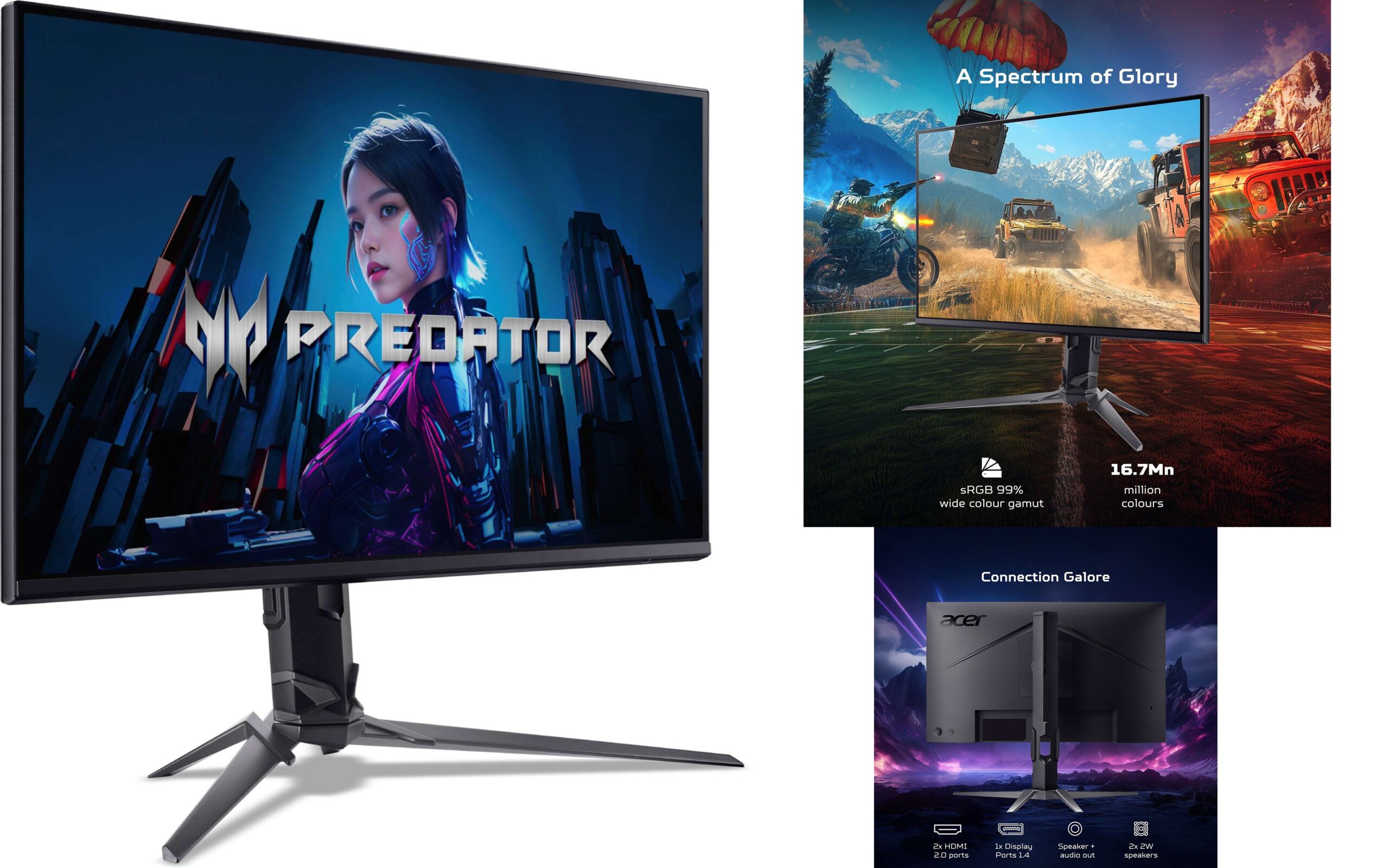
Acer PREDATOR 62.23 cm (25 inch) Full HD LED Backlit IPS Panel with HDR 10, 99% sRGB I Eye Care, Ergo Stand, 2 x HDMI, 1DP, Stereo Speakers Gaming Monitor (XB253Q F) (AMD Free Sync, Response Time: 1 ms, 300 Hz Refresh Rate)
Acer Gaming Monitor
- Cash on Delivery
3 Years Warranty - 24.5 inch
- Get lost in the visuals
- IPS Panel
- Vivid colors, wider angles.
- Full HD
- Crystal clear visuals for immersive experience
- 300 Hz
- Ultra-smooth visuals for professional work
- 1 ms
- Quick and seamless display
- Speakers Yes, 2 Speakers with 2 W Power Output Per Speaker
Inbuilt Speaker Yes
Number of Speakers 2
General
Brand Acer
Model Name XB253Q F
Series PREDATOR
Color Black
Display 62.23 cm (24.5 inch) LCD Display
Backlight LED Backlit Backlight
Panel Type IPS Panel
Resolution FHD 1080p pixels
3D No
Screen Resolution Type Full HD
Sales Package 1 x Computer monitor
Screen Form Factor Flat
Model Year 2024
HD / Full HD Full HD
Suitable For Gaming
Sync Compatibility AMD Free Sync
Connectivity
HDMI Yes
Display Port Yes
Other Connectivity Features
2xHDMI(2.0), 1xDP(1.4), Audio Out with inbox HDMI & DP cables, Integrated 2W x 2 Stereo Speakers.
Dimensions
Adjustable Height Yes
Display Features
Number of Colors 16.7 m Colors
Maximum Refresh Rate 300 Hz (Analog), 300 Hz (Digital)
Horizontal Viewing Angle 178° (2D)
Vertical Viewing Angle 178° (2D)
Response Time 1 ms - Blazing Fast 300Hz Refresh Rate for Outstanding fluidity of images I 1MS Visual Response Boost (VRB) Blur Free & Elimination., 24.5 Inch IPS Full HD Display with sRGB 99% and HDR 10 Support I 6 axis Color Adjustment, Super Sharpness, Extreme Black Monitor., Enable smooth gameplay, Eliminating screen tearing, Minimizing lag and latency I With FreeSync the monitor’s frames are synced with the graphics card’s frames, which eliminates screen tearing and delivers very smooth gaming experiences., Monitor having Ergo Stand with Height (120mm), Tilt (-5 to 25 Degrees), Pivot (±90) Degrees and Swivel (±360) Degrees I Acer Display Widget for Easy modification of monitor settings through this utility software, Different game modes for Better viewing experience.
- Power Output Per Speaker 2
Touchscreen Features
Touchscreen Support No - Blazing Fast 300Hz Refresh Rate for Outstanding fluidity of images I 1MS Visual Response Boost (VRB) Blur Free & Elimination. 24.5 Inch IPS Full HD Display with sRGB 99% and HDR 10 Support I 6 axis Color Adjustment, Super Sharpness, Extreme Black Monitor I AMD FreeSync Enable smooth gameplay, Eliminating screen tearing, Minimizing lag and latency I With FreeSync the monitors frames are synced with the graphics cards frames, which eliminates screen tearing and delivers very smooth gaming experiences. 2 x HDMI (2.0) , 1 x DP (1.4), Audio Out with inbox HDMI & DP cables I Integrated 2W x 2 Stereo Speakers. Technology incorporates several features like Bluelight Shield, Flickerless, Low Dimming, Comfyview, Monitor is Eye Safe Certified. Monitor having Ergo Stand with Height (120mm), Tilt (-5 to 25 Degrees), Pivot (90) Degrees and Swivel (360) Degrees I Acer Display Widget for Easy modification of monitor settings through this utility software, Different game modes for Better viewing experience.
Proper calibration is key to enjoying your acer gaming monitor deals fully. Follow these steps to get the best experience for years.
Conclusion
Choosing the best Acer gaming monitor is all about finding the right mix. You need to think about resolution, refresh rate, and panel type. It’s important to match your monitor with your gaming style and computer specs.
It’s not just about the screen size. You also need to check how well it handles fast movements and colors. Make sure you have the right cable to connect everything smoothly.
After setting up your monitor, adjust the settings for your room’s lighting. Turn on the highest refresh rate and check that Adaptive-Sync is working. Don’t overdo the Overdrive to keep motion smooth and clear.
These steps are just the beginning. Try out different color settings to see what works best for your games. A well-set display makes every game feel more real.
Join the community forums to share your monitor settings or ask for advice. Talking with other gamers can help everyone get the best out of their monitors. Enjoy the better visuals and performance of your new setup.