
10 Answers to the Most Frequently Asked Questions About Zebronics Cooling Pad. Have you wondered whether your laptop needs an external accessory during long work hours? Many users in India face thermal issues and wonder whether a zebronics cooling pad can maintain peak performance.
10 Answers to the Most Frequently Asked Questions About Zebronics Cooling Pad
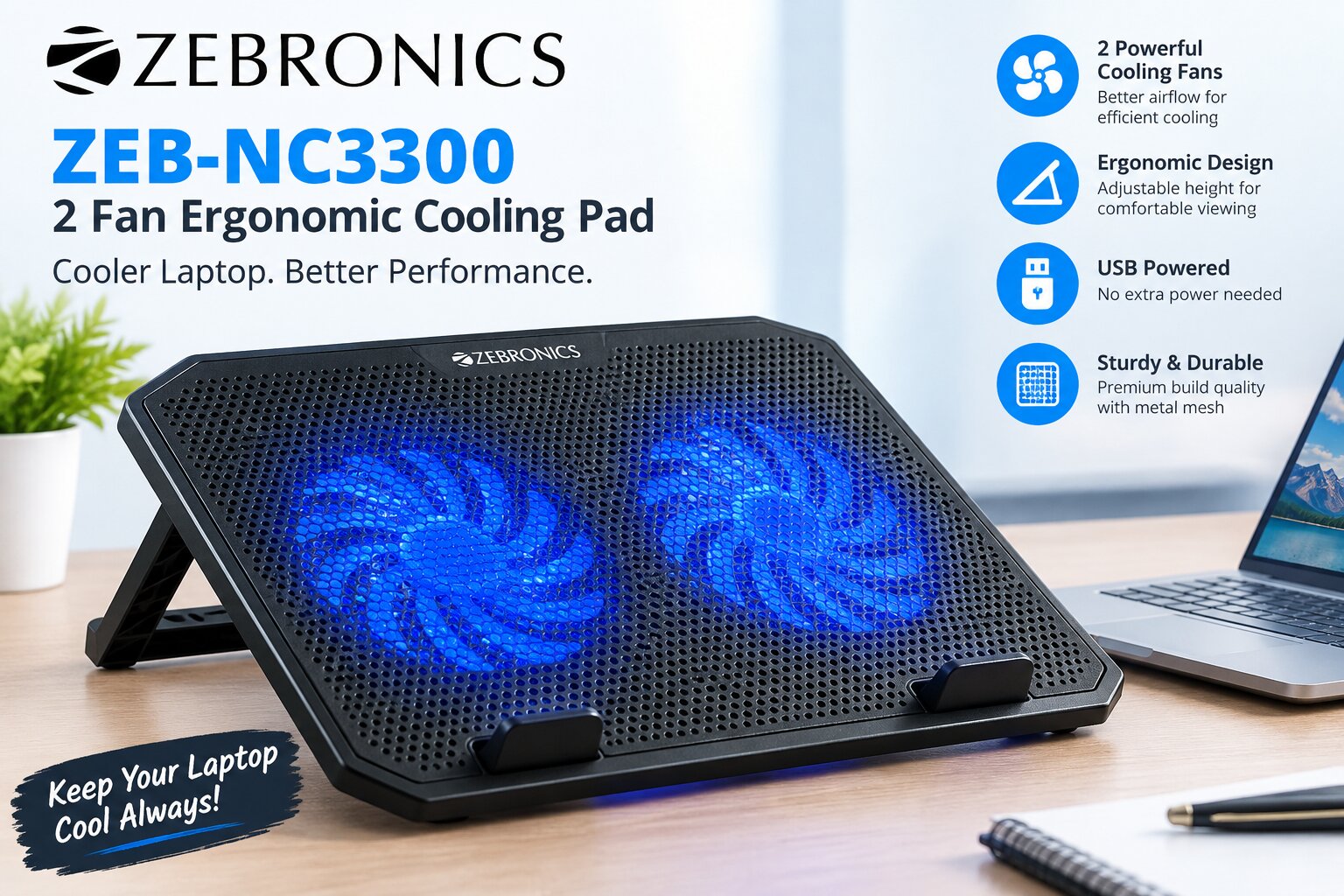
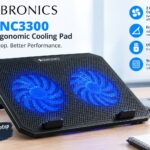
The ZEBRONICS ZEB – NC3300 is a popular choice with dual fans, vibrant blue LED lighting, and adjustable height settings. This guide explains thermal efficiency, device compatibility, and overall user comfort.
It also covers essential maintenance tips and portability factors for an informed choice. Whether you are a student or a professional, these features help you get more value from your hardware.
ZEBRONICS ZEB-NC3300 2 Fan Ergonomic Cooling Pad
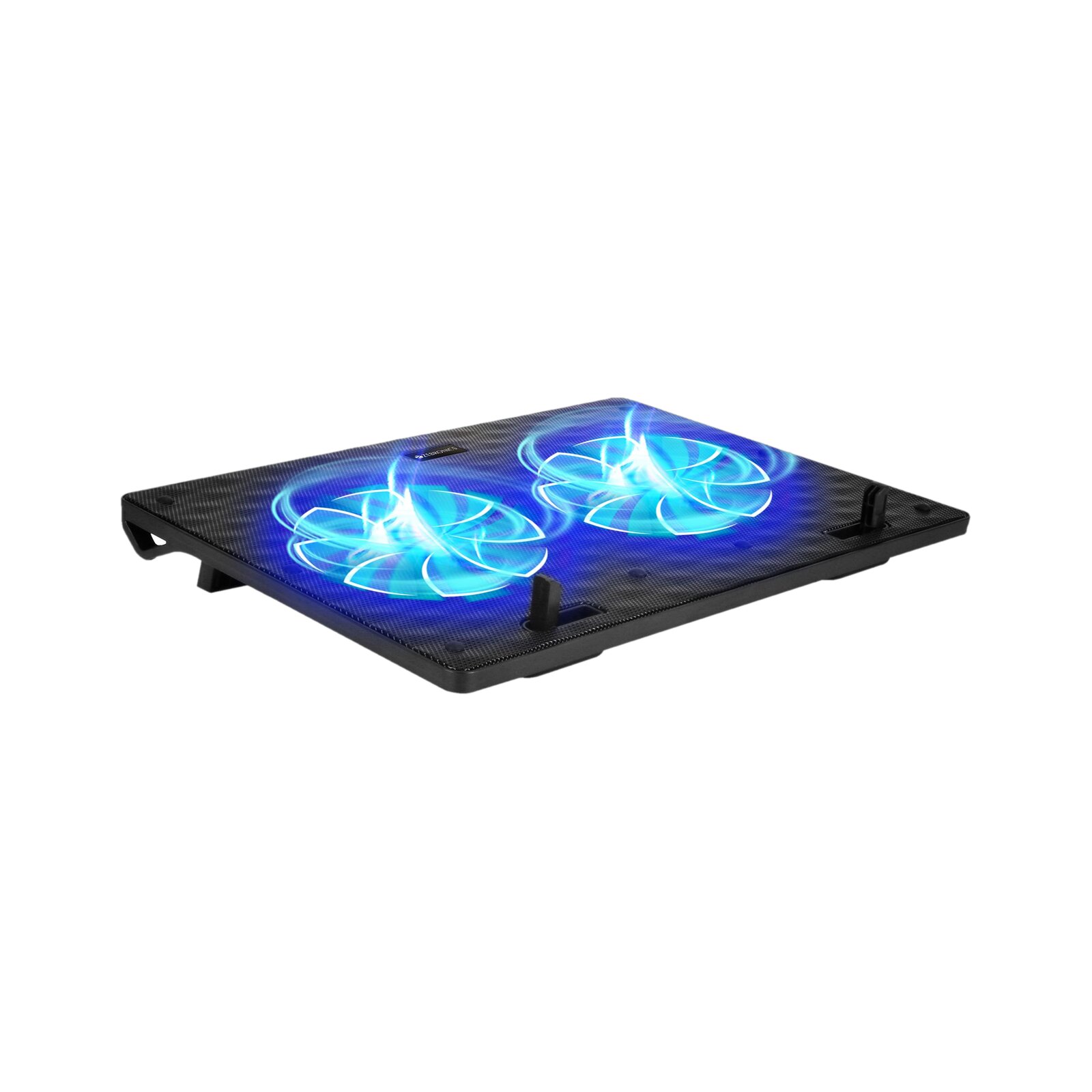
Zebronics Cooling Pad
- Cash on Delivery
1 year carry into service center - 1 COOLING PAD
General
Brand ZEBRONICS
Model Name ZEB-NC3300
Color Black
Adjustable Height No
Can Use as Table No
Ergonomic Yes
Number of Speed Settings 1
Material Metal Mesh, Plastic
Fan Speed 1300 RPM
Noise Level 25 dB
Air Flow 75 cfm
Fan Size 120 mm
Other Features
Dual USB Port, Silent Operation, Retractable Stand
Suitable For 15.6
Speakers No
Number of Fans 2
Key Features
Lightweight, USB powered, Dual 120mm fan with blue LED, Dual USB ports, Silent operation, Retractable stand
Dimensions
Width 360 mm
Height 26 mm
Depth 27 mm
Weight 0.6 kg
Other Dimensions Fan Dimensions: 120 x 120 x 15
Additional Features
Other Features
Dual USB Port, Silent Operation, Retractable Stand
Power Features
Power Source USB Powered
Power Consumption 1.75 W
Power Requirement DC 5V, 350mA
Other Power Features
USB pass-through (Dual USB ports) - Enhance your laptop’s performance with the ZEB-NC3300, a high-efficiency laptop cooling pad designed for superior thermal management. It features dual 120mm silent fans equipped with vibrant blue LEDs to provide optimized airflow while maintaining a quiet workspace. The build includes a retractable stand for ergonomic positioning and integrated dual USB ports for convenient connectivity. Perfect for preventing overheating during intensive tasks, this cooling pad combines functional cooling with a sleek design.
Key Takeaways
- Learn how dual fans improve airflow for your laptop.
- Discover the benefits of adjustable height for ergonomic comfort.
- Understand compatibility requirements for various laptop sizes.
- Get tips on maintaining your device for long-term use.
- Evaluate if this accessory fits your daily portability needs.
What to Know Before Choosing a Zebronics Cooling Pad
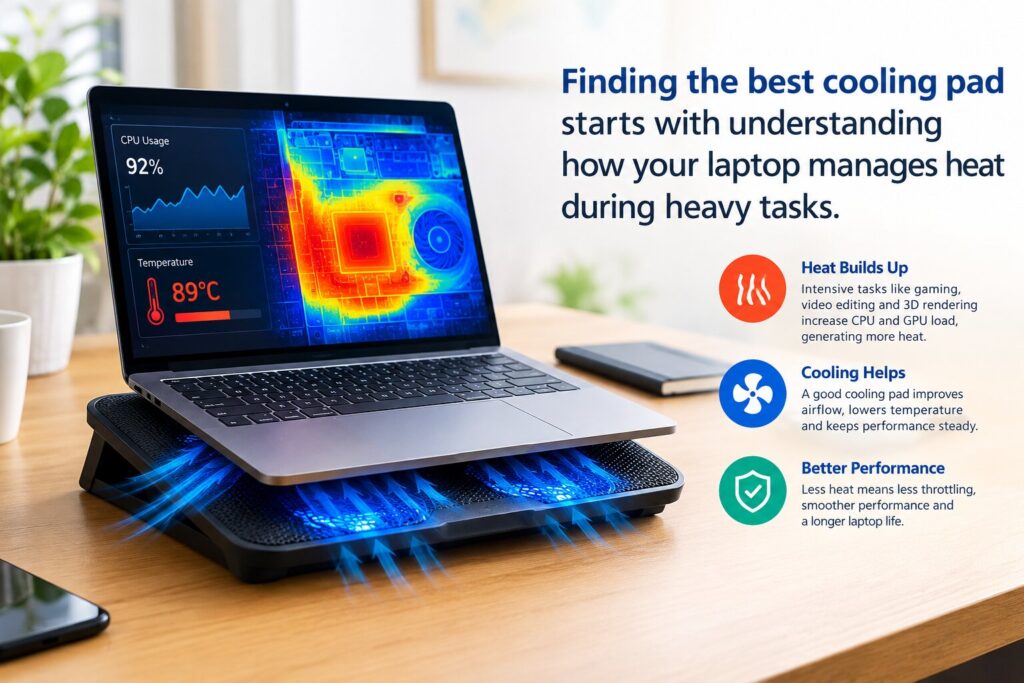
Finding the best cooling pad starts with understanding how your laptop manages heat during heavy tasks. Many users think a cooling pad works like an air conditioner, but it mainly improves airflow beneath the chassis. By pushing cool air toward intake vents, these devices help maintain safe operating temperatures during extended use.
What Is a Zebronics Cooling Pad and How Does It Work?
A Zebronics cooling pad is a stand that lifts your laptop and provides active cooling. For instance, the Zebronics ZEB NC3300 uses dual fans to move air toward the bottom of your machine. This airflow helps stop internal components from reaching heat levels that cause performance throttling.
Actual temperature reduction depends on several factors. These include your laptop’s design, current workload, room temperature, and ventilation port placement. While a best cooling pad can significantly improve thermal management, it works best when the laptop’s vents stay clear.
Who Benefits Most From Using a Zebronics Cooling Pad?
Users have different needs for managing laptop heat and improving ergonomics. Whether you are a student pulling an all-nighter or a professional handling complex projects, a cooling pad benefits daily work.
The following groups often find a cooling pad essential for their desk setup:
- Students: Those who use laptops for long study sessions and research.
- Office Professionals: Users who keep their devices running for eight hours or more.
- Content Creators: Individuals who run resource-heavy software like video editors.
- Gamers: Players who need to keep their hardware cool during intense gaming sessions.
Choosing the best cooling pad depends on your needs for heat reduction and comfort. If you want a more organized workspace while protecting your hardware, these devices offer a reliable computing solution.
Key Zebronics Cooling Pad Features
Choosing the right hardware requires understanding the features of a quality laptop cooling solution. Though many products look alike, their parts and build quality affect cooling during heavy use.
Which Features Should You Expect From Zebronics Cooling Pads?
Zebronics models often balance style with cooling performance. A standard laptop cooling solution from this brand usually has a strong mesh surface. It directs airflow toward your laptop’s intake vents.
Many popular models, including the NC3300, have dual fans for steady cooling. They also feature a blue LED glow for a modern workspace. Consider these features when choosing your next product:
- Dual Fan Systems: Designed to distribute air evenly across the base of your laptop.
- Ergonomic Mesh Design: Promotes better heat dissipation through a metallic surface.
- Integrated LED Lighting: Provides a stylish visual indicator that the device is powered on.
- Lightweight Build: Ensures the unit remains easy to carry between home and office.
Does a Zebronics Cooling Pad Include Adjustable Fan Speed, USB Connectivity, and Stand Positions?
Check each model’s listing because features can vary across the Zebronics range. Premium units may offer advanced controls, while others provide simple plug-and-play use. This keeps your laptop cooling solution affordable and reliable. 10 Answers to the Most Frequently Asked Questions About Zebronics Cooling Pad.
Most models include a built-in USB hub for your mouse or keyboard. This lets you connect devices without using another laptop port. Check the specifications for fan speed and stand positions, since entry-level models may not include them. 10 Answers to the Most Frequently Asked Questions About Zebronics Cooling Pad.
| Feature | Basic Models | Advanced Models |
|---|---|---|
| Fan Speed Control | Fixed | Adjustable |
| USB Ports | Single | Dual/Hub |
| Height Adjustment | Fixed Angle | Multi-Level |
Confirm these details before buying to ensure the laptop cooling solution fits your ergonomic and technical needs. Careful checks can improve your hardware experience. 10 Answers to the Most Frequently Asked Questions About Zebronics Cooling Pad.
Compatibility and Setup Questions
Matching your laptop with the right cooling gear is vital for every user. Before buying, check that your device fits the cooling surface correctly. This keeps your hardware stable and provides maximum airflow from your zebronics laptop accessories. 10 Answers to the Most Frequently Asked Questions About Zebronics Cooling Pad.
Is a Zebronics Cooling Pad Compatible With Different Laptop Sizes?
Most cooling pads fit laptops with screen sizes from 13 inches to 17 inches. For a proper fit, compare your laptop’s physical dimensions with the manufacturer’s specifications. Always check the base width, not only the screen size, to prevent overhang. 10 Answers to the Most Frequently Asked Questions About Zebronics Cooling Pad.
If your laptop is much larger than the cooling pad, its weight may become uneven. A stable base helps prevent slips during intense work sessions. Choosing the right model from zebronics laptop accessories keeps your workspace secure and balanced. 10 Answers to the Most Frequently Asked Questions About Zebronics Cooling Pad.
How Do You Connect and Position a Zebronics Cooling Pad Correctly?
Setting up your cooling pad is simple and requires little effort. Place the pad on a flat, hard surface so its fans can draw in cool air. Avoid placing the pad on soft surfaces such as beds or sofas; they can block intake vents and reduce cooling efficiency. 10 Answers to the Most Frequently Asked Questions About Zebronics Cooling Pad.
After positioning the pad, place your laptop in the center. This alignment places the fans under the hottest parts of your laptop’s chassis. Connect the provided USB cable to an available computer port to power the fans.
Finally, use the adjustable height settings to find a comfortable typing angle. An ergonomic position improves posture and keeps the laptop raised for better heat dissipation. These small steps help you get the most from your cooling equipment every day. 10 Answers to the Most Frequently Asked Questions About Zebronics Cooling Pad.
How Well Does a Zebronics Cooling Pad Cool a Laptop?
Zebronics cooling pads improve airflow, but their real-world effect varies. They send steady air beneath the laptop, yet temperature drops depend on several factors. Vent placement, chassis dust, and room temperature all affect cooling performance. 10 Answers to the Most Frequently Asked Questions About Zebronics Cooling Pad.
Can a Zebronics Cooling Pad Reduce Laptop Heat During Regular Work?
For office tasks like browsing or editing documents, a portable cooling pad can work well. Raising the laptop improves air circulation around its intake vents. This simple change can keep the device more comfortable during long work sessions. 10 Answers to the Most Frequently Asked Questions About Zebronics Cooling Pad.
Consistent airflow helps the internal fans work less, creating a quieter environment. It cannot replace internal cleaning, but it helps keep temperatures stable during daily use.
Does a Zebronics Cooling Pad Help With Gaming, Streaming, and Other Demanding Tasks?
Gaming and high-definition streaming make the processor and graphics card produce significant heat. Many Zebronics models use dual fans to direct air toward these hot spots. A portable cooling pad can help prevent thermal throttling during intense sessions, when the laptop slows to avoid overheating.
A cooling pad cannot solve extreme heat, but it supports your hardware. The table below shows how several factors affect your setup’s cooling efficiency. 10 Answers to the Most Frequently Asked Questions About Zebronics Cooling Pad.
| Factor | Impact on Cooling | Recommendation |
|---|---|---|
| Ambient Temperature | High | Use in a cool, ventilated room |
| Dust Accumulation | Very High | Clean laptop vents regularly |
| Fan Speed Settings | Medium | Adjust based on workload |
| Surface Material | Low | Place on a flat, hard surface |
Ultimately, a portable cooling pad helps users who move between home, study, and office locations. It offers physical support and active cooling, helping your laptop run smoothly during sustained workloads.
Comfort and Everyday Portability
Many users miss how a simple cooling pad can improve workspace comfort and posture. Cooling is its main job, but this zebronics tech gear also helps maintain healthy posture during long work sessions.
Can a Zebronics Cooling Pad Improve Typing Comfort and Laptop Ergonomics?
Raising your laptop screen to eye level helps reduce neck strain and shoulder fatigue. Models like the NC3300 offer adjustable-height features that let you set the viewing angle for your desk.
Lifting the laptop’s rear creates a more natural slope for your wrists. This adjustment helps minimize repetitive strain while typing, so extended work feels easier. The pad also improves desk organization by providing a stable, raised platform for your device. 10 Answers to the Most Frequently Asked Questions About Zebronics Cooling Pad.
Is a Zebronics Cooling Pad Portable Enough for Students, Professionals, and Travelers?
Portability matters to students and professionals who move between classrooms, offices, and homes. Most zebronics tech gear has a slim profile, so it fits easily in a standard laptop bag or backpack. 10 Answers to the Most Frequently Asked Questions About Zebronics Cooling Pad.
When choosing portability, seek lightweight materials that add little bulk to your daily carry. Many models include cable storage, keeping your workspace tidy and preventing tangles while traveling. 10 Answers to the Most Frequently Asked Questions About Zebronics Cooling Pad.
Students heading to the library or professionals traveling for business can use these cooling pads. They offer a practical solution for maintaining performance on the go. Their compact design lets you keep comfort without sacrificing mobility. 10 Answers to the Most Frequently Asked Questions About Zebronics Cooling Pad.
Care, Noise, and Safe Usage
Taking care of your cooling pad is simple and improves performance. Even an affordable cooling pad needs basic care to keep its parts working well. These routine steps help your device stay a reliable laptop partner. 10 Answers to the Most Frequently Asked Questions About Zebronics Cooling Pad.
How Should You Clean and Maintain a Zebronics Cooling Pad?
Dust is the most common problem for cooling accessories, especially where air moves constantly. Over time, dust can settle on fan blades and block intake vents. Use these simple steps to maintain strong airflow:
- Always disconnect the USB cable from your laptop before starting any cleaning process.
- Use a soft, dry cloth or a gentle brush to wipe away surface dust from the mesh top.
- Ensure the fan openings remain unobstructed by placing the pad on a flat, hard surface rather than soft fabrics like blankets. 10 Answers to the Most Frequently Asked Questions About Zebronics Cooling Pad.
- Periodically check the underside of the unit to ensure no debris is blocking the air intake paths.
Is a Zebronics Cooling Pad Quiet and Safe to Use for Long Hours?
Many users ask about noise and safety during long work or gaming sessions. These devices save energy, but fan noise varies by model and surroundings. Check the official product manual for decibel ratings and manufacturer safety guidance. 10 Answers to the Most Frequently Asked Questions About Zebronics Cooling Pad.
When choosing an affordable cooling pad for overnight or long-term use, consider these safety factors. These recommendations can support a smooth experience:
| Feature | Recommendation | Benefit |
|---|---|---|
| Power Source | Use USB 3.0 ports | Stable power delivery |
| Usage Duration | Take periodic breaks | Extends fan motor life |
| Surface Type | Use on hard desks | Prevents overheating |
Check the retailer specifications to confirm quiet operation meets your needs. Proper handling and regular checks help you get lasting value from your affordable cooling pad. 10 Answers to the Most Frequently Asked Questions About Zebronics Cooling Pad.
Buying Advice for a Zebronics Cooling Pad in India
Shopping for laptop accessories in India requires a clear view of value and performance. As you compare zebronics products, these cooling pads balance useful features with affordable prices. 10 Answers to the Most Frequently Asked Questions About Zebronics Cooling Pad.
How Much Should You Spend on a Zebronics Cooling Pad?
Most entry-level and mid-range cooling pads have competitive prices for Indian consumers. Expect to pay based on build quality, fan count, and features like adjustable height settings. 10 Answers to the Most Frequently Asked Questions About Zebronics Cooling Pad.
A model with dual fans and ergonomic adjustments may justify a small extra cost. These features improve airflow and comfort, helping protect hardware from thermal throttling during long work sessions. 10 Answers to the Most Frequently Asked Questions About Zebronics Cooling Pad.
Is a Zebronics Cooling Pad a Better Value Than Other Laptop Cooling Solutions?
Compared with generic options, zebronics products offer the advantage of an established service network. They often include blue LED lighting and USB pass-through ports at less cost than premium imported brands. 10 Answers to the Most Frequently Asked Questions About Zebronics Cooling Pad.
Value depends on heat control and low noise. Many users see these pads as a middle ground between weak plastic stands and costly, overbuilt cooling systems. 10 Answers to the Most Frequently Asked Questions About Zebronics Cooling Pad.
Which Laptop Users Should Consider This Affordable Cooling Pad?
Students and office professionals who use laptops for hours may benefit most. Streaming, light gaming, and multitasking users can rely on improved airflow to keep systems running smoothly.
People working in warm places may also notice a major difference. A cooling pad raises the laptop and prevents beds or sofas from blocking intake vents. 10 Answers to the Most Frequently Asked Questions About Zebronics Cooling Pad.
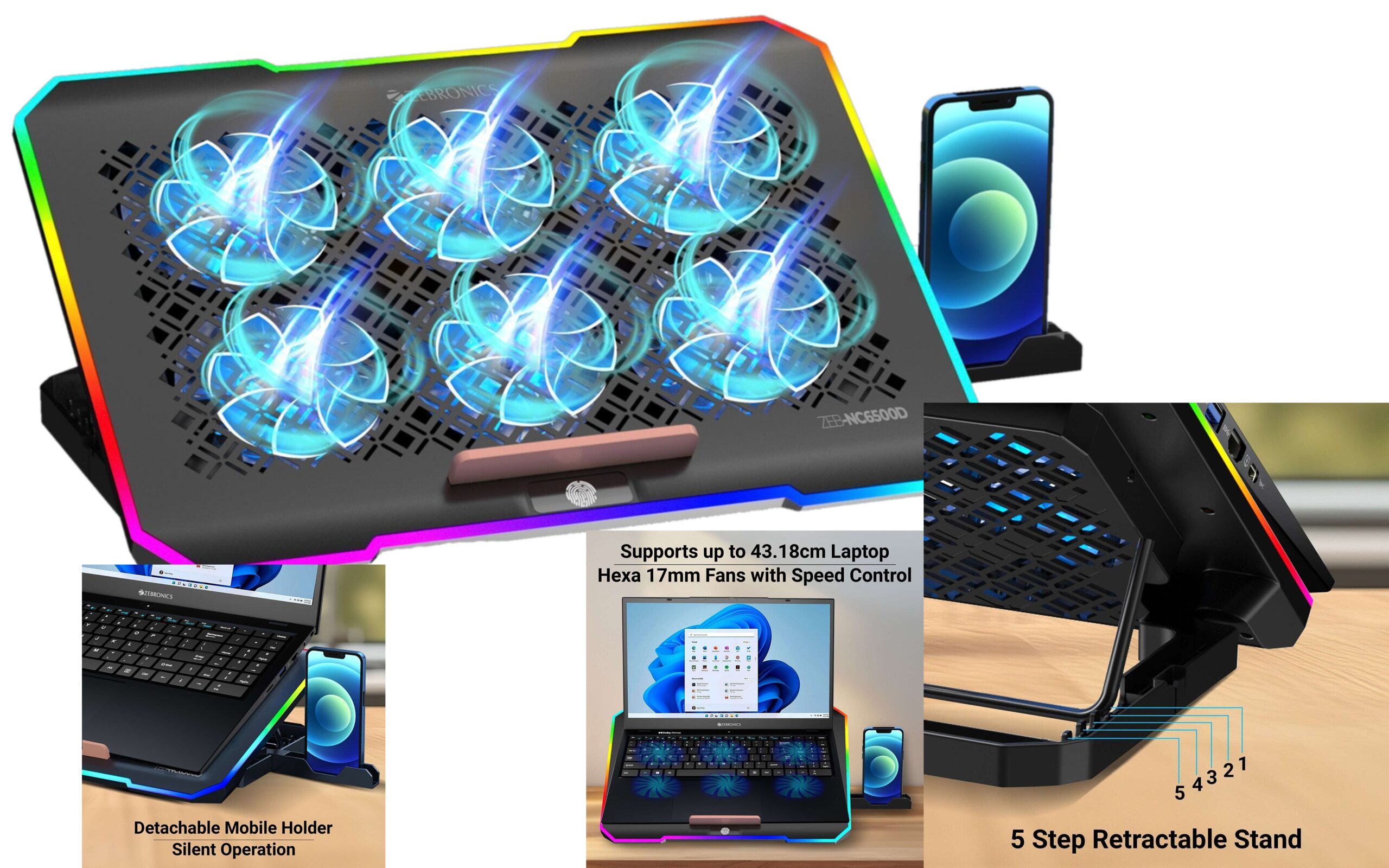
ZEBRONICS NC6500D support upto 17 inch Laptops, 6 Fans,Detachable Mobile Holder,USB Ports 6 Fan Cooling Pad with Adjustable Height
Zebronics Cooling Pad
- Cash on Delivery
1 year carry into service center - Cooling pad – 1 unit, Cable – 1 unit
General
Brand ZEBRONICS
Model Name ZEBRONICS NC6500D Laptop Cooling Pad with Support up to 17 inch (43.18 cm) Laptops(Black)
Color Black
Adjustable Height Yes
Can Use as Table No
Ergonomic No
Number of Speed Settings 2400
Fan Size 70 mm
Suitable For 17
Speakers No
Number of Fans 6 - Ergonomic design: Get your hands on the ZEB-NC6500D laptop stand to ease your working experience with its ergonomic design., Powerful cooling: To cool your laptop that releases excess heat due to overworking, the laptop stand is equipped with six 70mm fans. The fan speed of these fans can be adjusted to eliminate the dissipated heat and ensure optimal performance., Retractable stand: The retractable stand of the ZEB-NS6500D adjusts in 5 increments to accommodate laptops up to 17 inches, allowing you to discover the ideal angle for relaxed viewing, thereby minimizing strain., RGB light with tap control: The stand’s RGB LED lighting features tap control, bringing flair to the workspace and allowing you to customize the ambiance to suit your preferences, creating a vibrant and conducive environment for productivity., Mobile holder: The detachable mobile holder on the stand adds to its functionality as it is convenient for connecting your mobile and laptop.
- Dimensions
Width 360 mm
Height 28 mm
Depth 255 mm
Weight 0.91 kg - Introducing the ZEB-NC6500D laptop stand, a versatile accessory designed to elevate your computing experience. Powered via USB for convenience, it boasts silent operation, ensuring distraction-free usage. Equipped with hexa 70mm fans with speed control, it efficiently dissipates heat to keep your device cool during intense sessions. With a built-in USB port, it offers an added connectivity option. Its 5-step retractable stand supports laptops up to 43.18cm (17 inches), providing wider viewing angles. Additionally, it features a detachable mobile holder. For a colorful working environment, the stand incorporates RGB LED lights controllable via tap, allowing you to customize your workspace effortlessly.
What Should You Check Before Buying From an Indian Retailer?
Before buying, choose an authorized seller to ensure genuine zebronics products. Check these details for a smooth transaction:
- Warranty Coverage: Check the duration and terms of the manufacturer’s warranty.
- GST-Inclusive Pricing: Confirm that the listed price includes all applicable taxes.
- Compatibility: Ensure the pad size matches your laptop’s dimensions for optimal stability.
- Return Policy: Review the retailer’s policy regarding damaged or defective units.
Finally, read recent customer reviews on the retailer’s website. Real-world feedback reveals the durability and noise levels of specific models, helping you choose wisely.
Conclusion
Choosing the right cooling accessory can improve your daily computing experience. Zebronics offers reliable solutions that control heat and improve posture with adjustable height settings. The NC3300 model has dual fans and blue LED lighting, combining style and function for your workspace.
Results depend on your laptop model and task intensity. A top-rated cooling pad can support system stability during long gaming sessions or heavy multitasking. It improves airflow, helping your hardware run efficiently.
Check technical specifications and warranty details before completing your purchase. Review retailer policies to ensure the best support for your new device. Choosing a top-rated cooling pad is smart for a cooler setup, and Zebronics remains a solid choice for durability and performance in India.











One Response